rocket_launch Now in Public Beta

See What Your
AI Agents Are Doing

Real-time monitoring dashboard for Claude Code agents. Track activity, visualize tool usage, and maintain full visibility over every automated task.
download Install Now play_circle Watch Demo
Minion Orchestra -- Dashboard
hub Minion Orchestra
Dashboard
Agents
Activity
Setup
Active Agents
3 Working
agent-7f3a
Refactoring auth module
Edit Read
agent-2b91
Writing unit tests
Write Bash
agent-9c44
Awaiting input
Idle
Activity Over Time
Last 30 min
Live Activity Feed
Live
14:23:01 agent-7f3a used Edit on src/auth/middleware.ts
14:22:58 agent-2b91 used Write to create tests/auth.test.ts
14:22:45 agent-9c44 status changed to idle
14:22:32 agent-7f3a used Read on src/auth/types.ts
14:22:18 agent-2b91 used Bash -- npm test --watch

Everything you need to
monitor AI agents

From live dashboards to detailed analytics, Minion Orchestra gives you complete observability over your Claude Code workflows.

Real-time Agent Monitoring

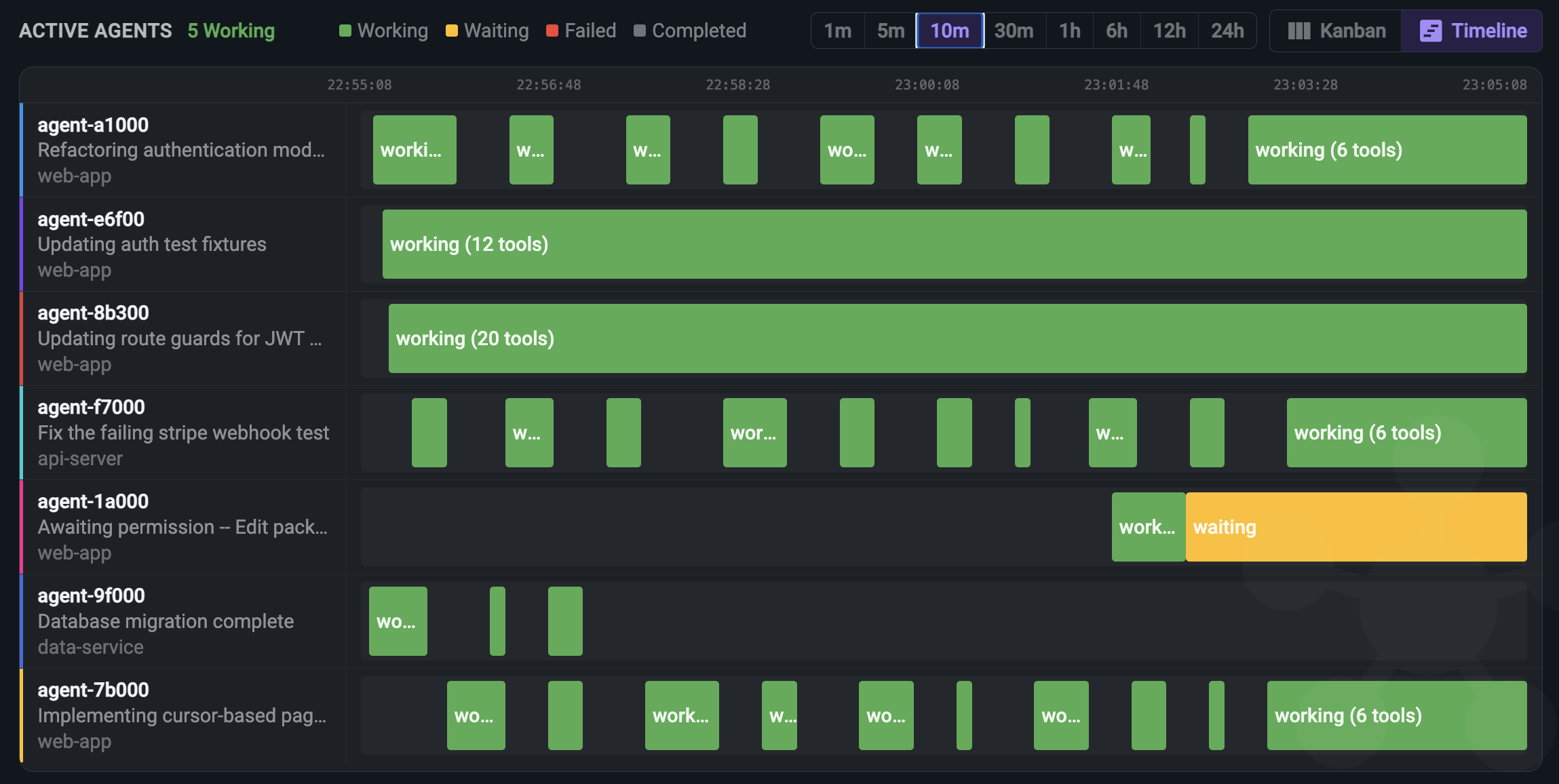
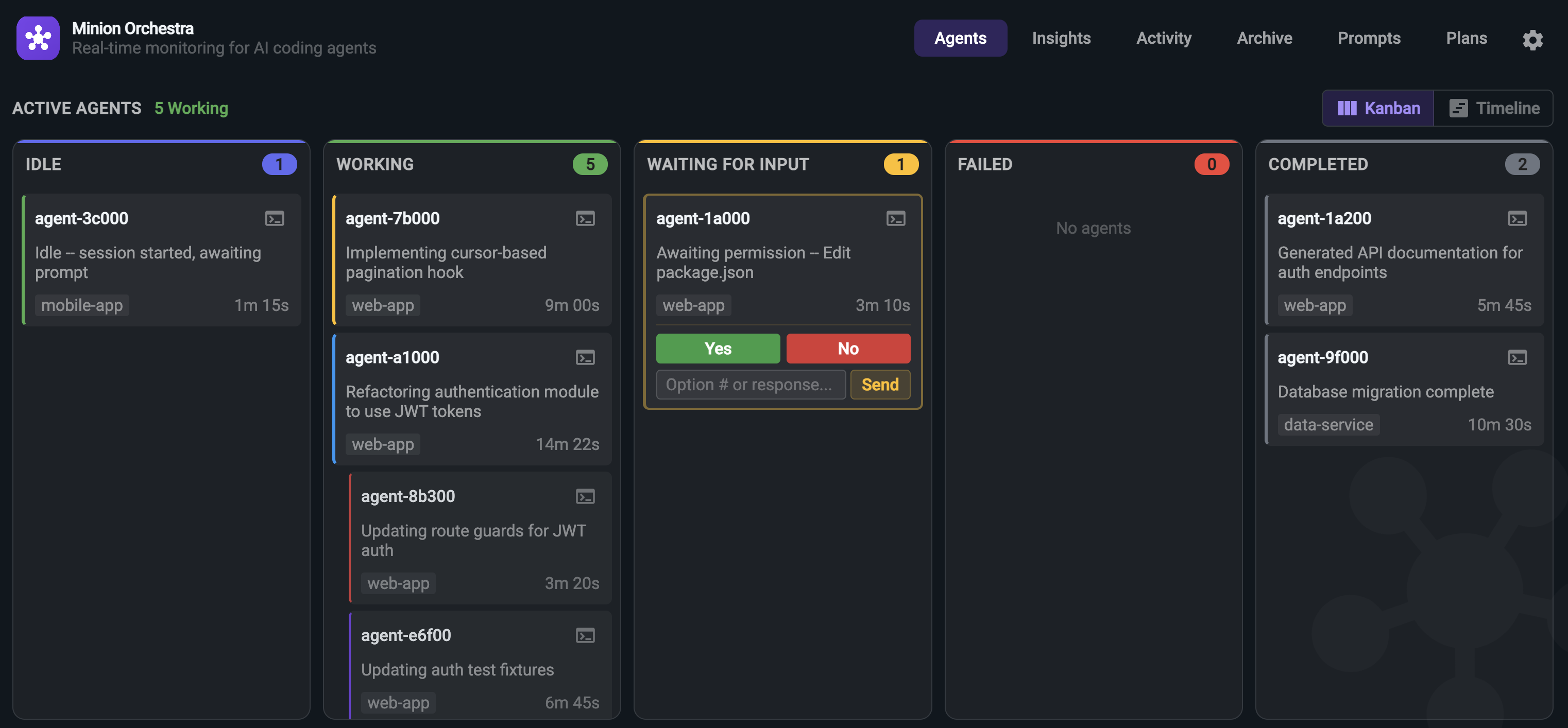
See every Claude Code agent the moment it starts. Track its status, current task, working directory, elapsed time, and active tools -- all updating in real-time over WebSocket.

  • check_circle Live status indicators (working, idle, completed, failed)
  • check_circle Active tool tracking per agent
  • check_circle Elapsed time and task description
  • check_circle Agent pause, resume, and remove controls
agent-7f3a
Refactoring authentication module
12m 34s
Edit Read
agent-4e55
Awaiting permission -- Edit package.json
2m 05s
Edit
agent-9c44
Database migration complete
Done
Bash
agent-1a2b
Idle -- waiting for context
0m 42s

Activity Visualization & Charts

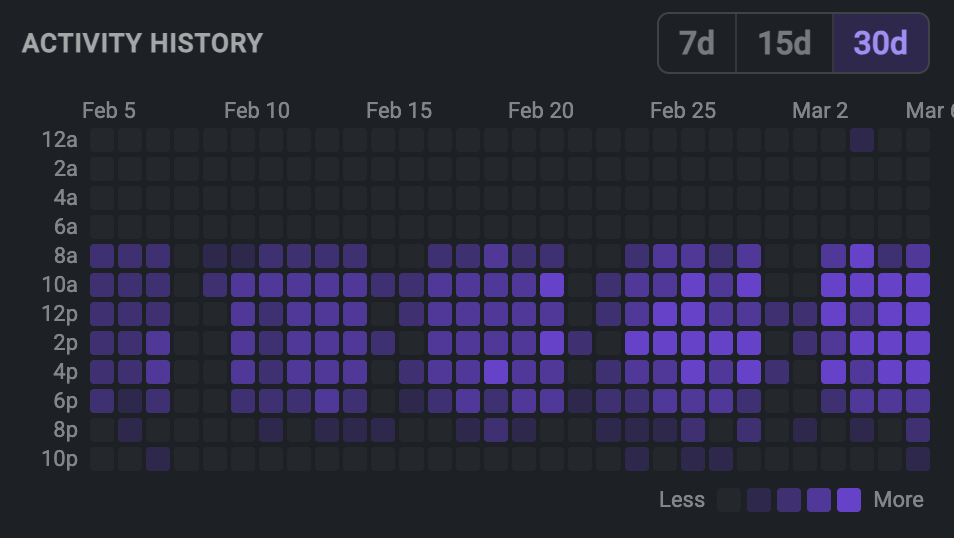
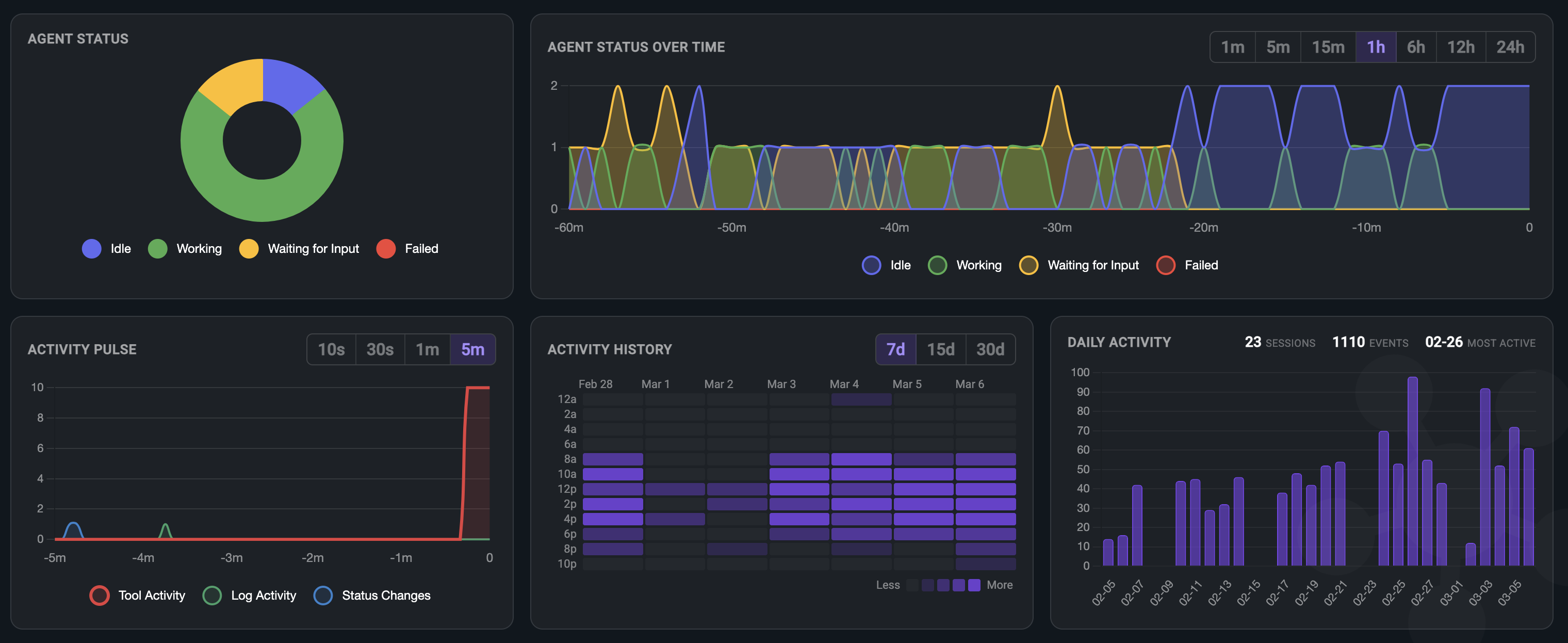
Built-in interactive charts give you a bird's-eye view of your agent ecosystem. See trends, spot anomalies, and understand workload distribution.

  • check_circle Activity Over Time -- line chart tracking active agents and completions
  • check_circle Activity Pulse -- system heartbeat showing tool, log, and status activity
  • check_circle Agent Status Overview -- doughnut chart of working/idle/completed/failed
  • check_circle Real-time metric counters with live updates
Activity Over Time
Active Agents
Agent Status
Working
Done
Idle
System Pulse
Tool Activity
Log Activity
Status Changes

Zero-Config Hook Integration

No manual setup, no YAML files, no environment variables. Running npm install automatically configures Claude Code hooks to send events to Minion Orchestra.

  • check_circle Automatic hook installation during npm install
  • check_circle Captures 8+ event types out of the box
  • check_circle Works with all Claude Code sessions on your machine
  • check_circle Clean uninstall -- hooks removed when you uninstall
$ npm install

Setting up Minion Orchestra...
Hook script installed to ~/.claude/hooks/
Claude Code settings updated
Registered hooks:
  SessionStart -- Track agent sessions
  SessionStop  -- Detect session end
  PreToolUse   -- Capture tool requests
  PostToolUse  -- Capture tool results
  SubagentStart -- Track subagent spawns
  Notification  -- System notifications

Setup complete! Run npm start to begin monitoring.

Up and running in 60 seconds

Three commands. That's all it takes to have full visibility over every Claude Code agent on your machine.

1

Install

Clone the repo and install dependencies. The setup script automatically configures Claude Code hooks.

$ git clone <repo>
$ npm install
2

Start

Launch the Minion Orchestra server. The dashboard opens automatically on port 4201.

$ npm start
3

Monitor

Open Claude Code anywhere on your machine. Agents appear in the dashboard automatically as they start working.

$ claude
# agents appear automatically
Comparison

Why Minion Orchestra?

Compare with running Claude Code blind -- no monitoring, no visibility, no control.

Capability Claude Code Alone With Minion Orchestra
See active agents close check
Real-time tool tracking close check
Activity history & logs close check
Multi-agent visibility close check
Charts & analytics close check
Task progress tracking Terminal only check Unified dashboard
Setup effort N/A npm install (automatic)
Why Minion Orchestra

"Running multiple Claude Code agents without visibility is like flying blind. Minion Orchestra gives you the control tower your AI workflow needs."

NZ
Neutron Zero
Creator of Minion Orchestra

Built for how you work

Whether you run one agent or twenty, Minion Orchestra adapts to your workflow.

groups

Multi-Agent Orchestration

Running parallel agents across different repos? See all of them in one unified dashboard with real-time status updates and activity feeds.

bug_report

Debugging AI Behavior

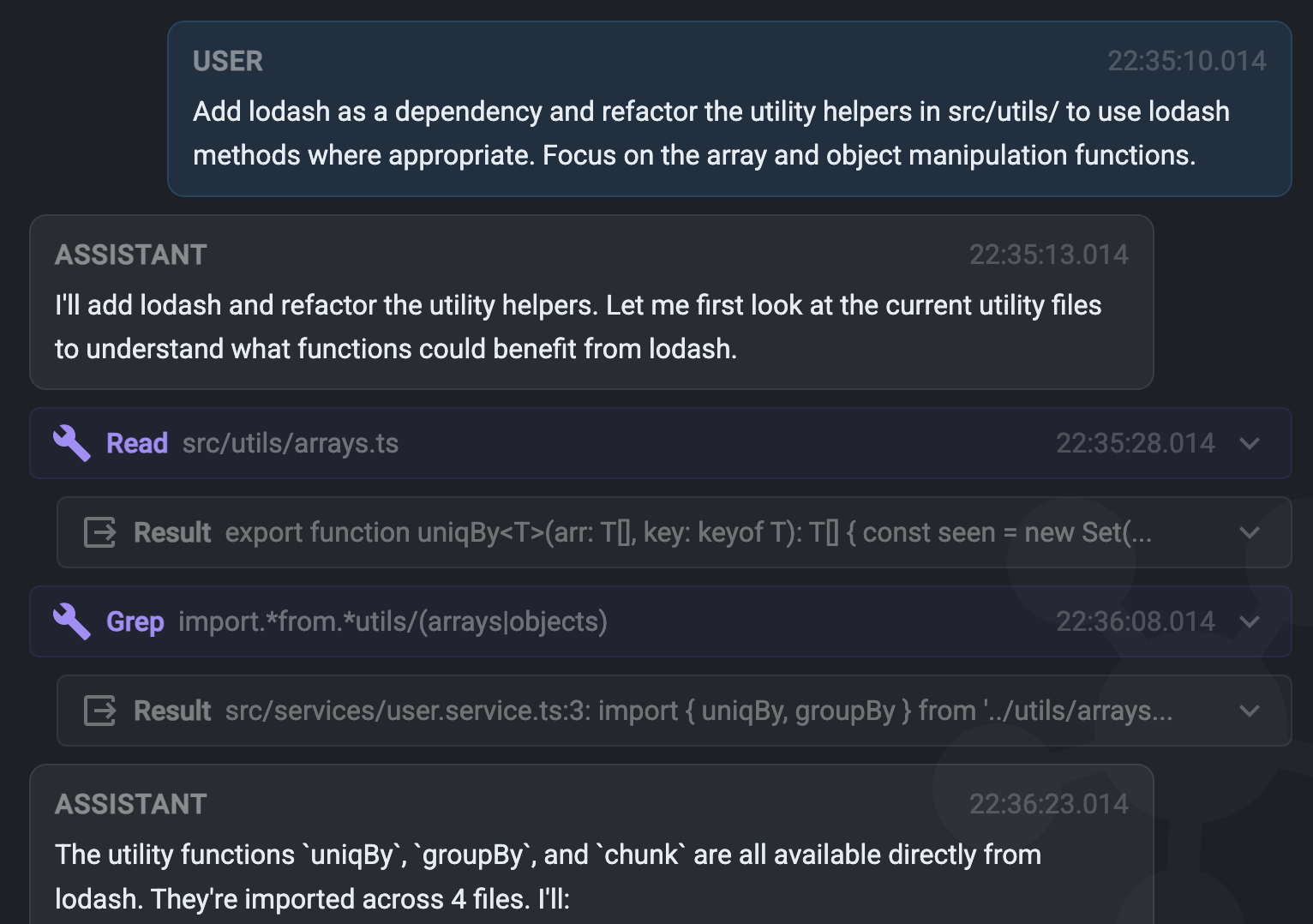
Understand exactly what tools your agent used and in what order. Trace through the activity log to diagnose unexpected behavior or errors.

security

Audit & Compliance

Full visibility into every file read, edit, and command executed. Maintain a complete audit trail of all AI-initiated actions in your codebase.

speed

Performance Monitoring

Track agent activity over time with built-in charts. Identify bottlenecks, measure throughput, and optimize your AI-assisted development workflow.

Start monitoring today

Free and open source. Set up in under a minute.
$ npm install minion-orchestra content_copy
download Get Started code View on GitHub