Free & Open Source
See What Your
AI Agents Are Doing
Real-time monitoring dashboard for AI coding agents. Track activity, visualize tool usage, and maintain full visibility over every automated task.
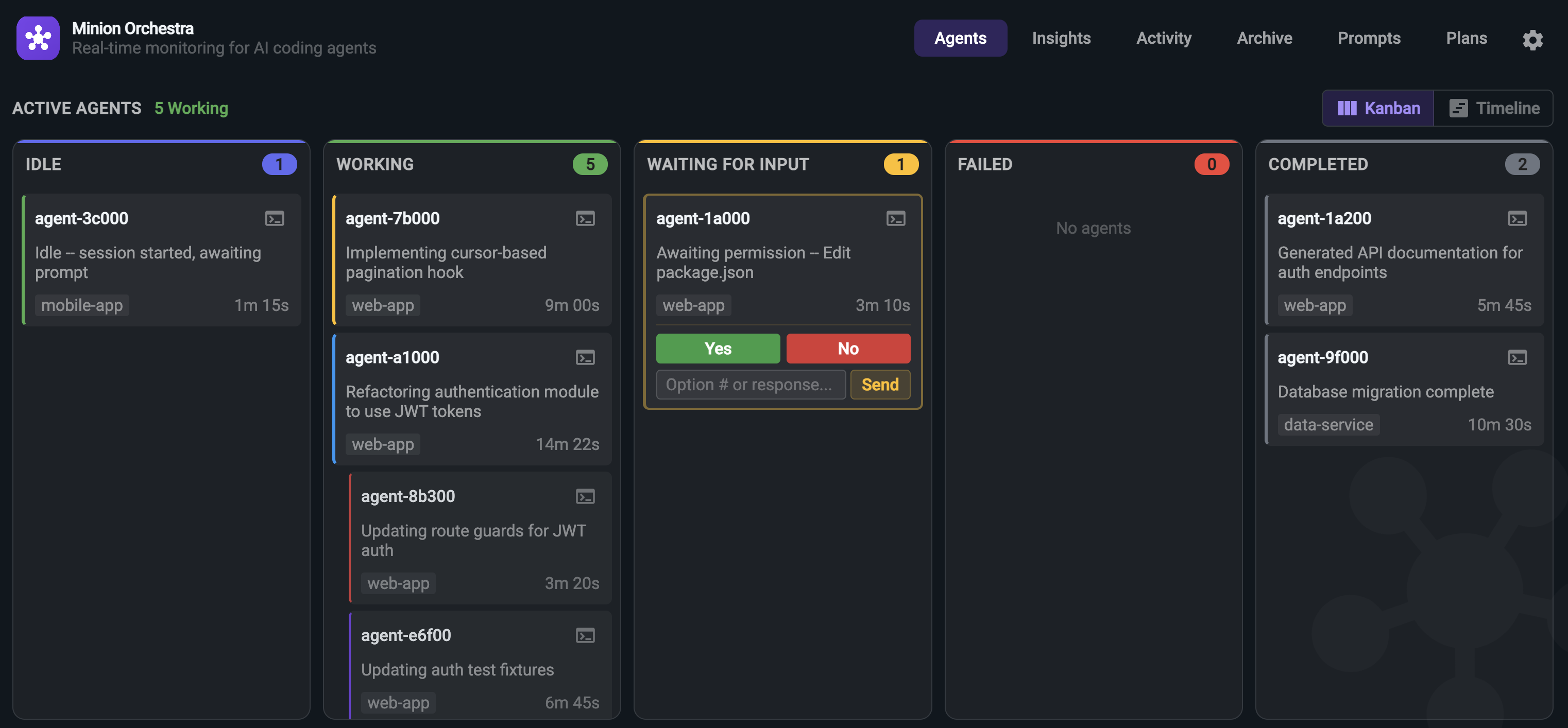
Real-time monitoring dashboard for AI coding agents. Track activity, visualize tool usage, and maintain full visibility over every automated task.
Full observability for the tools your team already uses.
From live dashboards to detailed analytics, Minion Orchestra gives you complete observability over your AI coding workflows.
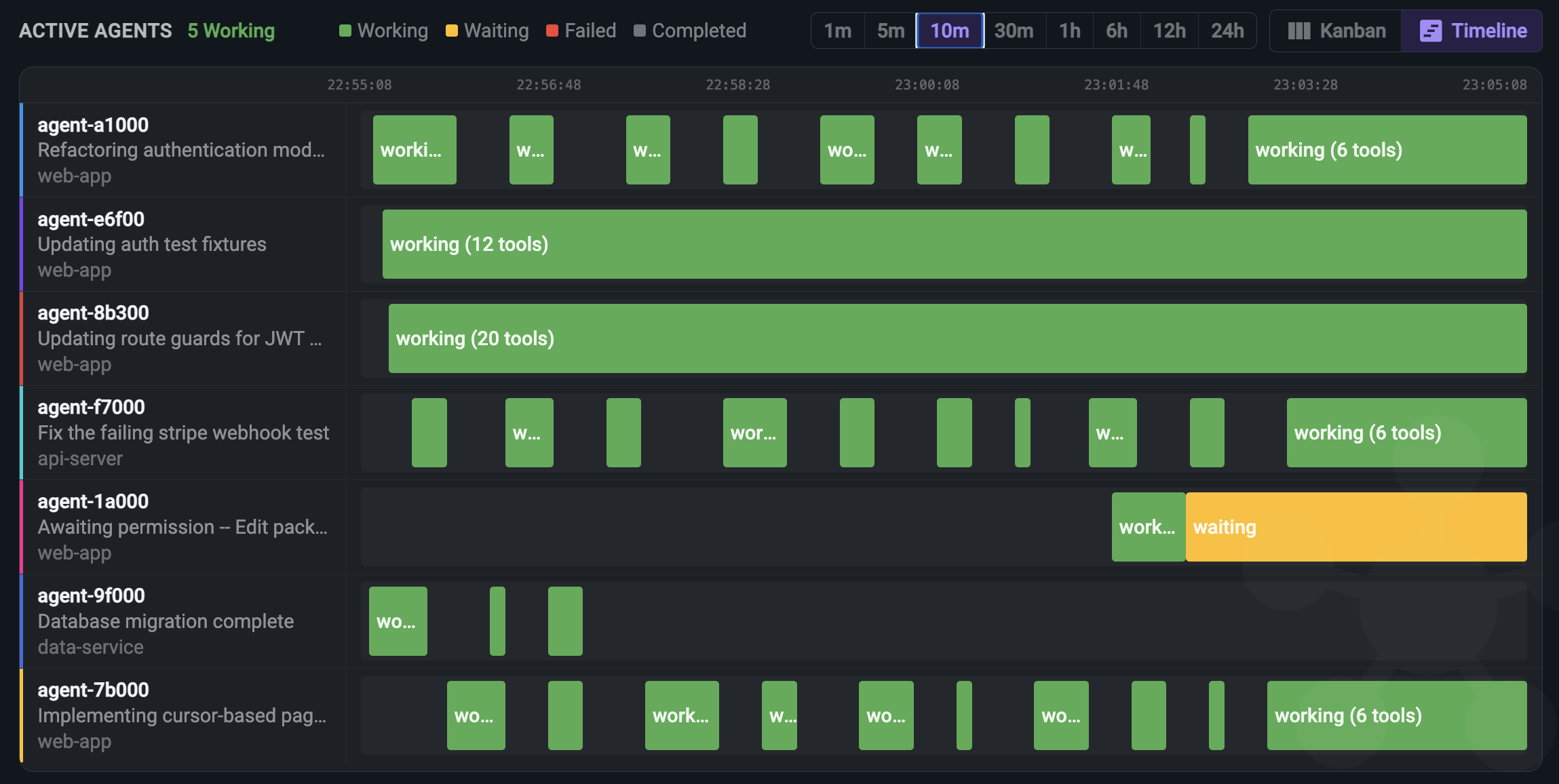
See every AI coding agent the moment it starts. Track status, current task, working directory, elapsed time, and active tools -- all updating in real-time.
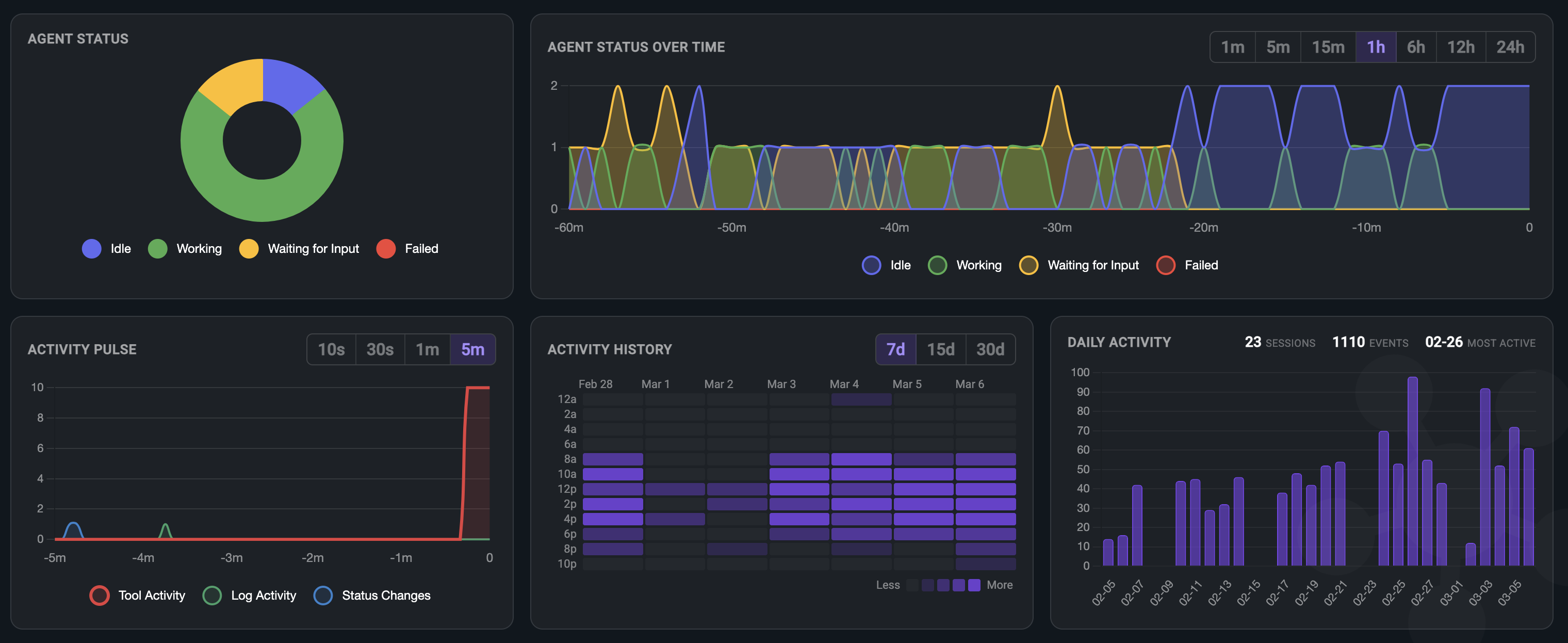
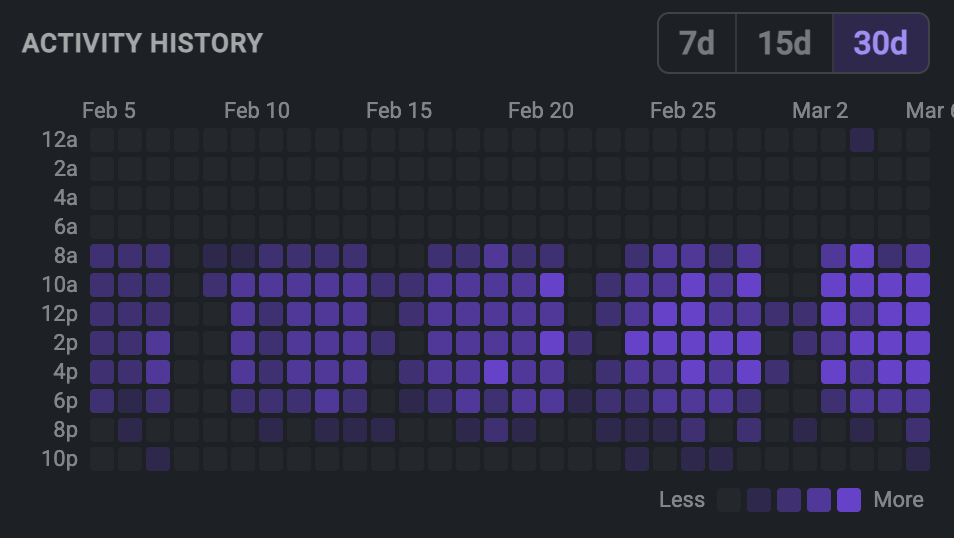
Built-in analytics and a full session archive give you both real-time and historical visibility into your agent ecosystem.
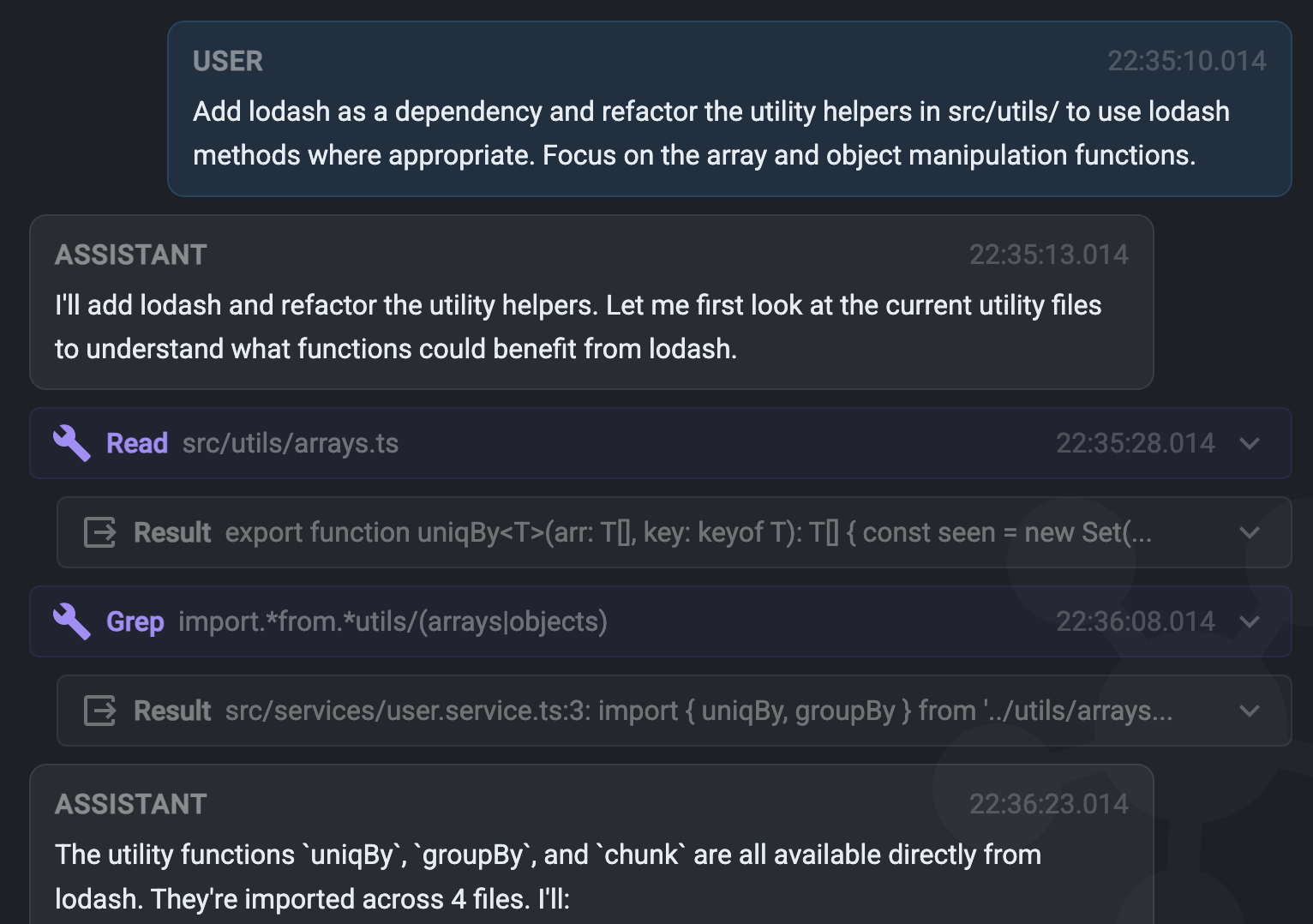
Drill into any agent session to understand exactly what happened. View the full conversation transcript, tool calls, and event stream.
Three commands. That's all it takes to have full visibility over every AI coding agent on your machine.
Clone the repo and install dependencies. Hooks are configured automatically.
Launch the server. The dashboard is available at localhost:3000.
Use your AI coding tools as usual. Agents appear in the dashboard automatically as they start working.
Compare with running AI agents blind -- no monitoring, no visibility, no control.
| Capability | Without Monitoring | With Minion Orchestra |
|---|---|---|
| See all active agents | Kanban board + timeline | |
| Real-time tool tracking | ||
| Conversation transcripts | Dig through log files | Searchable per agent |
| Session history & analytics | Heatmap, charts, export | |
| Multi-agent visibility | Switch between terminals | Unified dashboard |
| Terminal control | Switch windows manually | Focus and send input from dashboard |
| Notifications | macOS native alerts |
Whether you run one agent or twenty, Minion Orchestra adapts to your workflow.
Running parallel agents across different repos? See all of them in one unified dashboard with real-time status updates and activity feeds.
Understand exactly what tools your agent used and in what order. Trace through the activity log to diagnose unexpected behavior or errors.
Full visibility into every file read, edit, and command executed. Maintain a complete audit trail of all AI-initiated actions in your codebase.
Track agent activity over time with built-in charts. Identify bottlenecks, measure throughput, and optimize your AI-assisted development workflow.
Free and open source. Set up in under a minute.